
















Integrate inSign into your workflows
Word
Preparing Word documents and having them signed digitally
Excel
Set up signature fields in Excel and sign them digitally with inSign
Outlook
Upload PDF attachments directly from Outlook to inSign
SharePoint
Sign electronically directly in SharePoint
Single-Sign-On
Log in via SSO (SAML)
Salesforce
Trigger the signature process directly in Salesforce
SAP
Automatically collect signatures for contracts and orders via inSign
BSI Software
Request digital signatures via CRM/CX
REST-API
Integration interface
Preparing Word documents and having them signed digitally
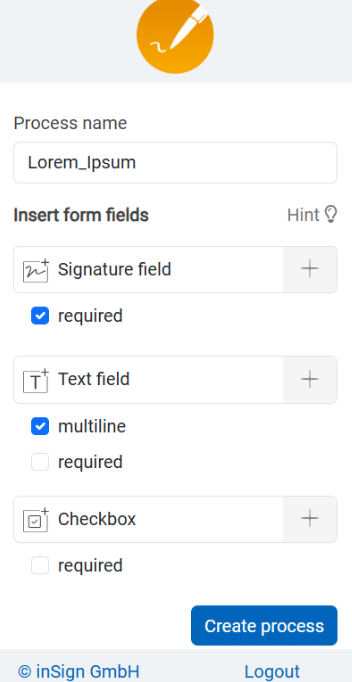
Microsoft Word-Add-in
-
Free for inSign users
Regardless of the licence model -
No integration required
Simply install the add-in and get started -
Easy document preparation
Drag and drop signature and form fields -
Automatic conversion to PDF & upload to inSign
Sign with a single click
Adding form fields to documents in Microsoft Excel
Microsoft Excel-Add-in
-
Free for inSign users
Regardless of the licence model -
No integration required
Simply install the add-in and get started -
Easy document preparation
Drag and drop signature and form fields -
Automatic conversion to PDF & upload to inSign
Sign with a single click
Upload PDF attachments from Outlook directly to inSign
Microsoft Outlook
-
Free for inSign users
Regardless of the licence model -
No integration required
Simply install the add-in and get started -
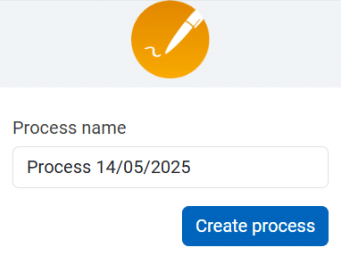
Direct upload to inSign
Sign with a single click
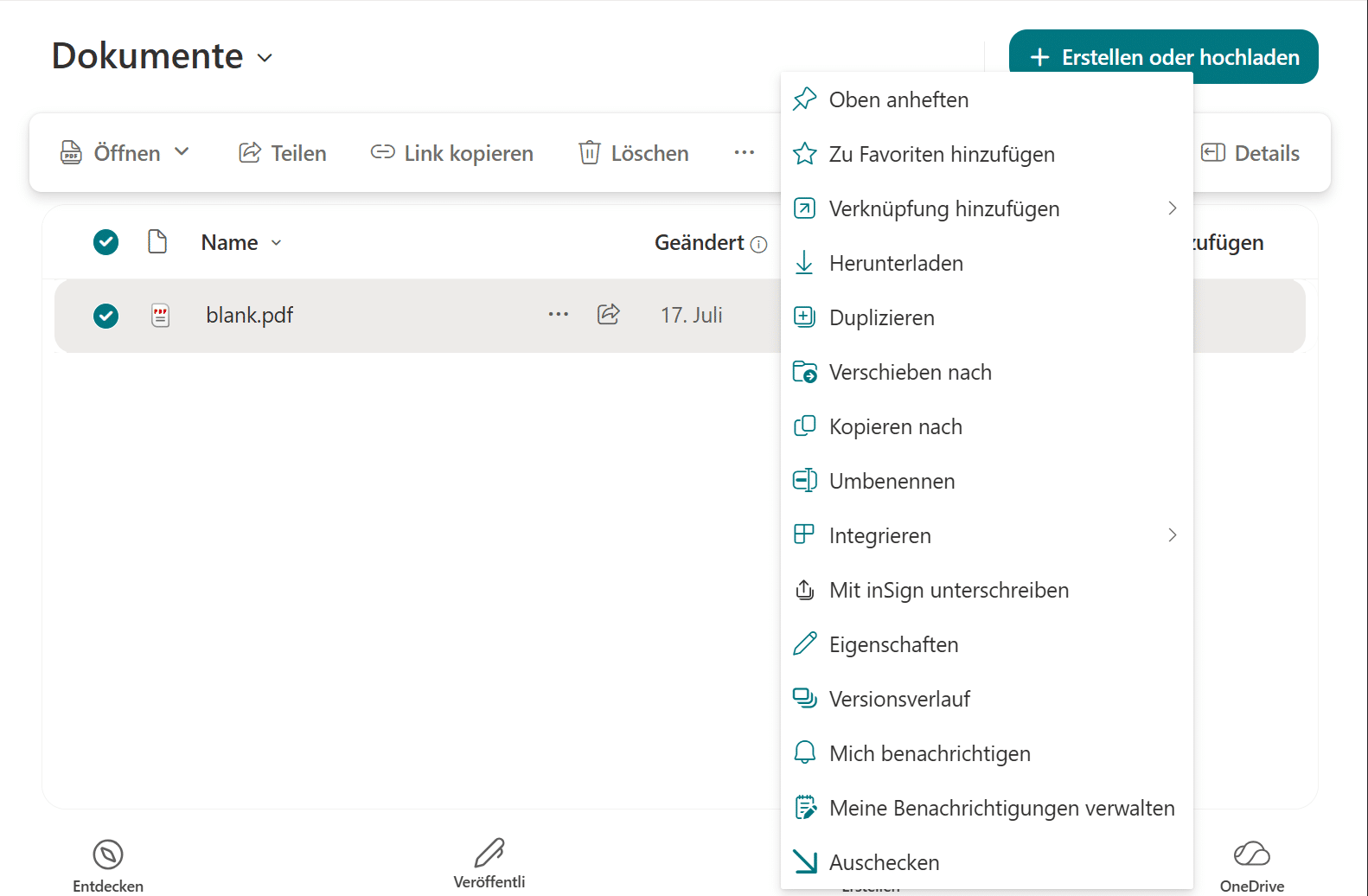
Launch the signature process from SharePoint
Microsoft SharePoint
-
Easy login via Microsoft SSO
Automatic linking of your inSign account to your Microsoft account via Single Sign-On -
Fast and seamless signature processes
Create a signature process directly from SharePoint -
Automatic document storage
Signed documents are automatically stored in SharePoint
Log in via SSO
Single-Sign-On

-
Easy login via SSO
Automatic linking of the inSign account to the company account -
Supported identity providers:
- Microsoft EntraID (formerly Azure AD)
- Keycloak
- ADFS
- Okta
- Ping Identity
Trigger the signature process directly in Salesforce
Salesforce

-
Easy integration
Customisable to suit your workflows -
Signing contracts without a change in workflow
Start the signing process directly in Salesforce -
Flexible signature process
Various signature methods -
Centralised data management
Everything in one place
Sealing and signing documents in SAP
SAP

-
Seamless SAP integration
Control processes directly from SAP -
Automated processes
Automatic transfer and return of documents -
Sealing invoices as a bulk process
Quick and easy, directly in SAP -
Collect signatures automatically via inSign
EES, FES, QES in accordance with eIDAS
Request digital signatures via CRM/CX
BSI Software

-
Fully integrated processes
Use inSign directly via BSI CRM/CX -
No drop-off
Not even during identification (QES) -
Automatic filing of signed documents
In BSI CRM or other archiving solutions -
Purchase both solutions from a single source
Through a single point of contact
Integration interface
Powerful REST API & documentation

-
Public sandbox including documentation
Try it out on GitHub -
Flexible hosting
SaaS and on-premises options available -
Flexible use
For your systems/system landscape
FAQ on inSign connectors
Yes, inSign has a powerful REST API with comprehensive documentation.
inSign can be connected to Microsoft SharePoint, Word, Excel, Outlook, SAP, Salesforce and more. Furthermore, inSign can be integrated into your own system landscape via the REST API interface.
Yes, you can provide a web link to a document requiring a signature (e.g. a membership application form for clubs) on your website.
